PL/SQL Workbench Perspective
This plug-in adds an additional perspective to the Eclipse IDE, providing full database functionality for Oracle databases.
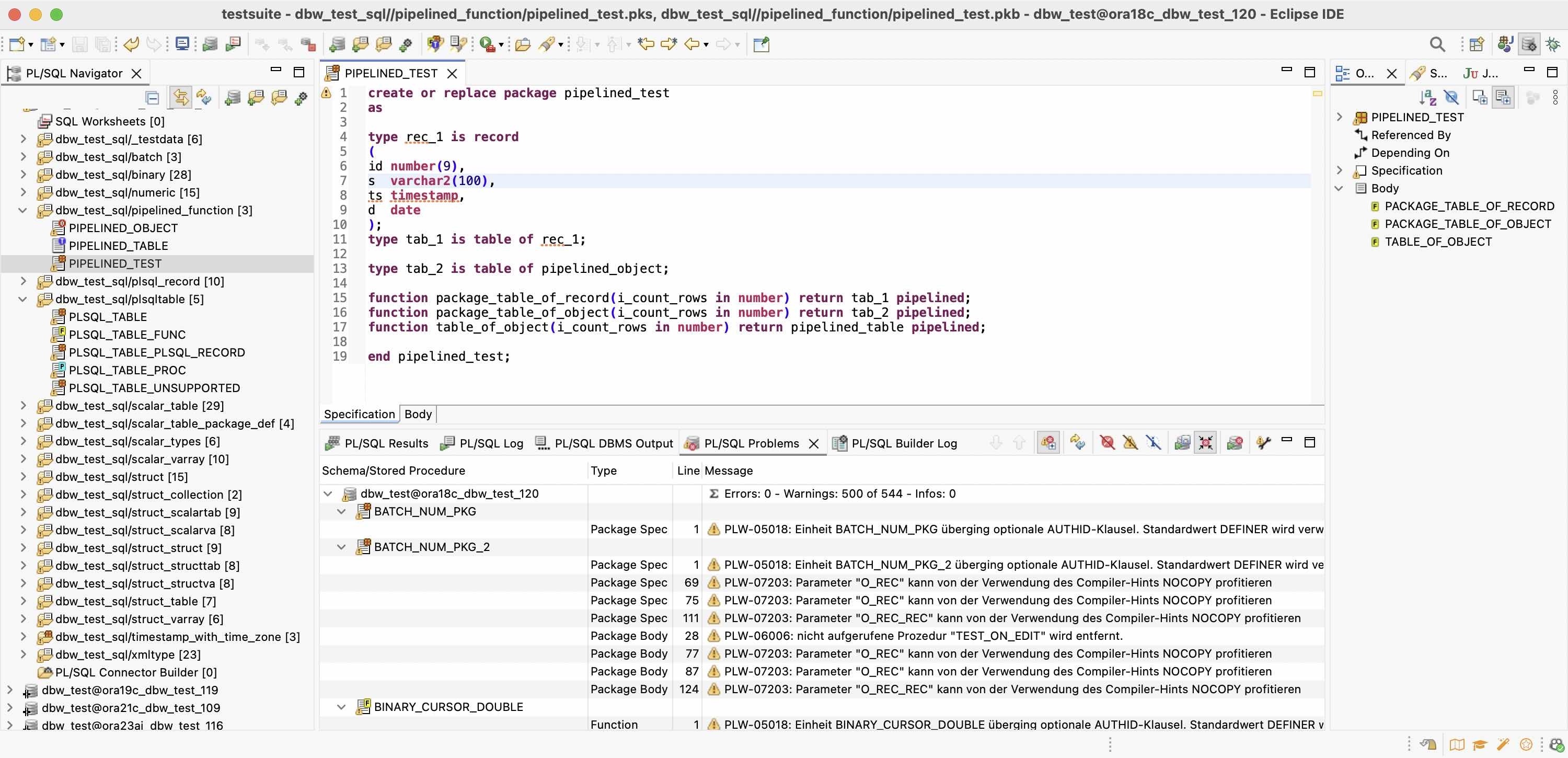
Navigation View
Keeps your database connections organized and easy to manage. Each connection contains folders for its associated resources - SQL scripts, PL/SQL programs, and SQL worksheets. From here you can also work with the PL/SQL Connector Builder, compile PL/SQL programs, and run SQL scripts.
Outline View
Provides context-specific information and actions for the active editor. It shows the structure of the current SQL/PL/SQL content, allowing you to quickly navigate within the code and execute individual statements or commands.
Result, Logs and Problem Views
Displays everything you need while working: query results, SQL logs, DBMS output, PL/SQL compilation issues, and processing logs from the PL/SQL Connector Builder.